
Your rental contracts,
organised and on time.
Record every contract with its tenant, dates, amount and payment cycle, group them by property, and see at a glance what is active, what is coming up and what has ended.
- Free, no ads
- No account
- Data stays on your phone
- Arabic · English
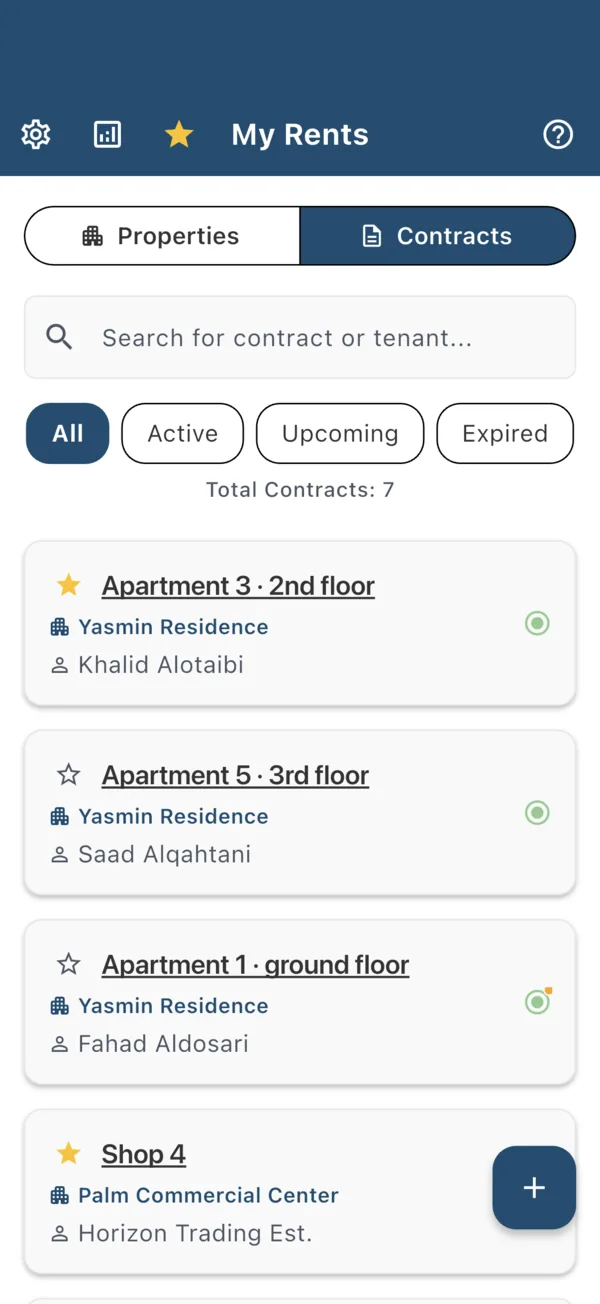
Every contract, with everything that matters
Add a contract in a minute and find it again in seconds. The app works out its status from the dates for you.
All the details in one place
Title, tenant, start and end dates, duration, rent amount, payment cycle and notes.
Attach the contract
Add one photo from the camera or gallery, or one PDF, up to 3 MB, to each contract.
Status at a glance
Active, upcoming or expired, with a warning when 30 days or less remain.
Search and filter
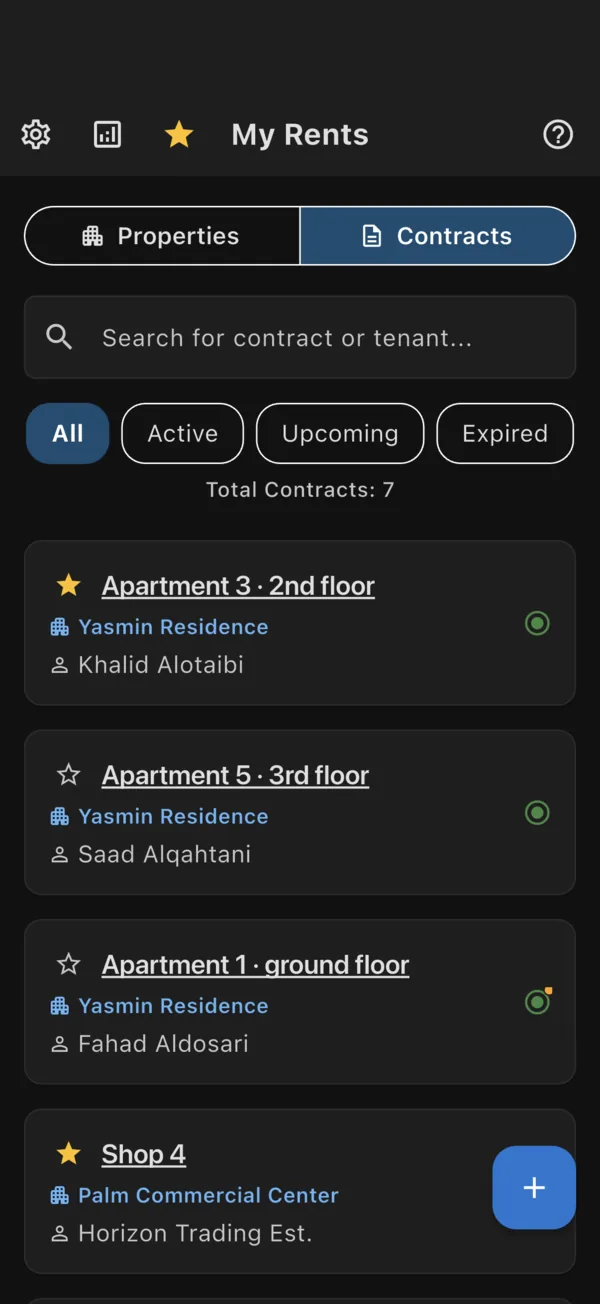
Search by contract title, tenant, property or city, and filter by status.
Star the important ones
Keep key contracts one tap away on the starred list.
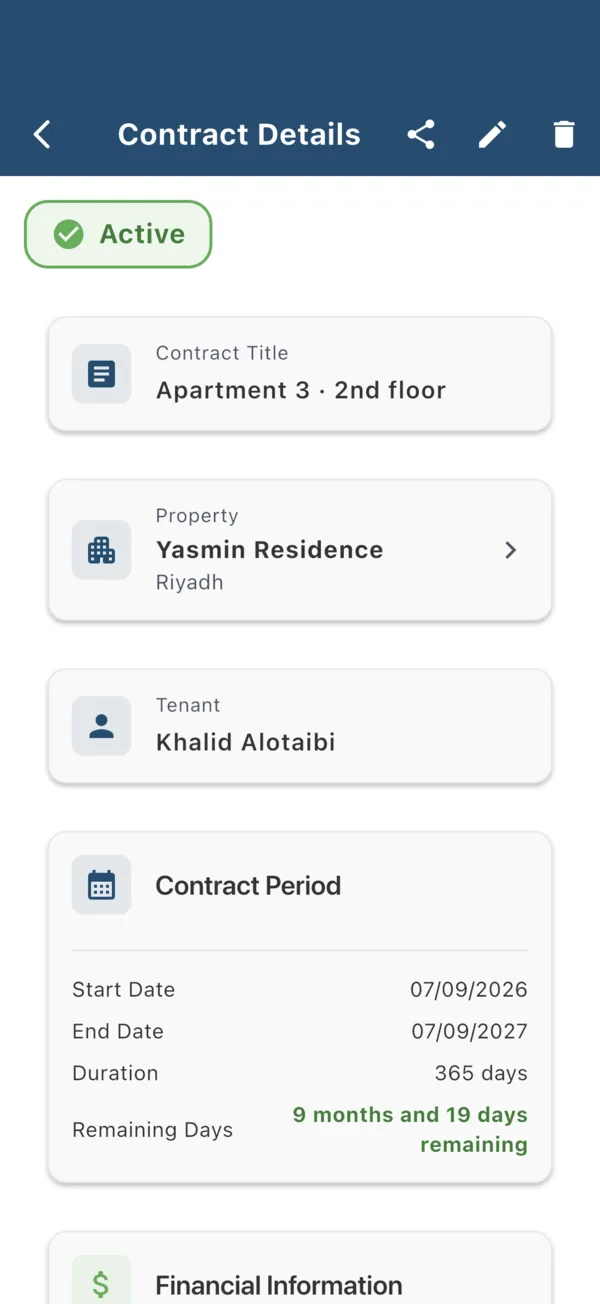
Group contracts by property
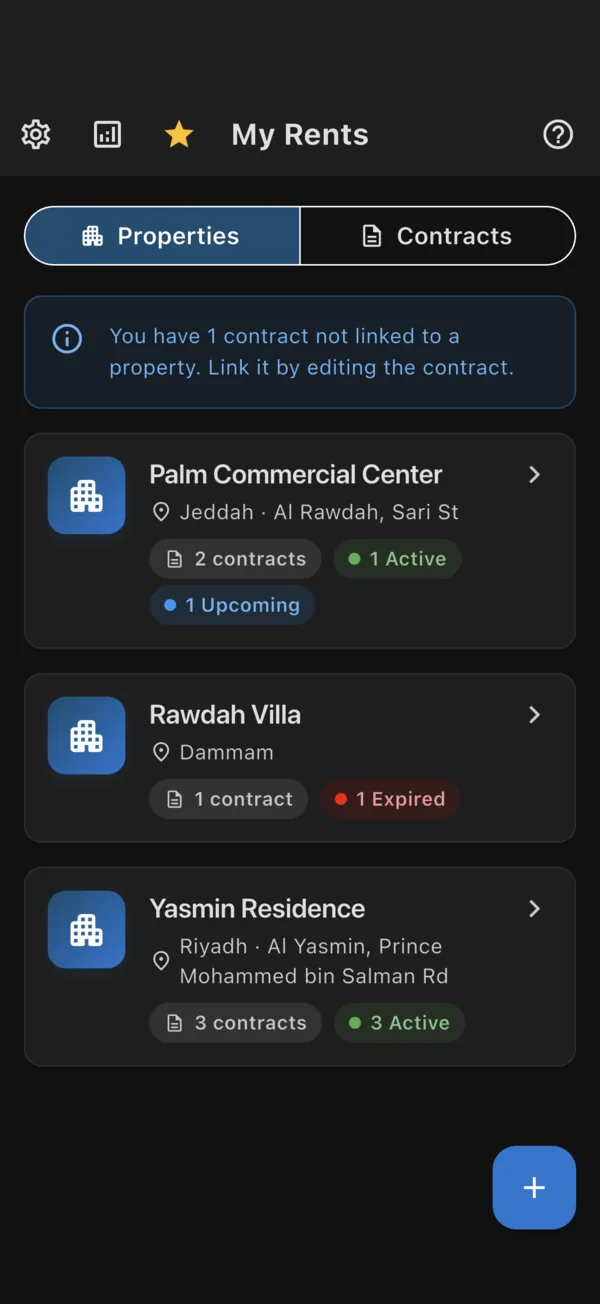
Add your buildings, villas, shops and warehouses, then link each contract to the property it belongs to.
Name, city, address and notes
Each property keeps its own details. Property names are unique, so nothing gets mixed up.
Counts by status
See how many contracts each property has, and how many are active, upcoming or expired.
Contracts in their place
Open a property to see its contracts, or add a new contract straight to it.
Safe deletion
When you delete a property, you choose whether to delete its contracts or keep them unlinked.
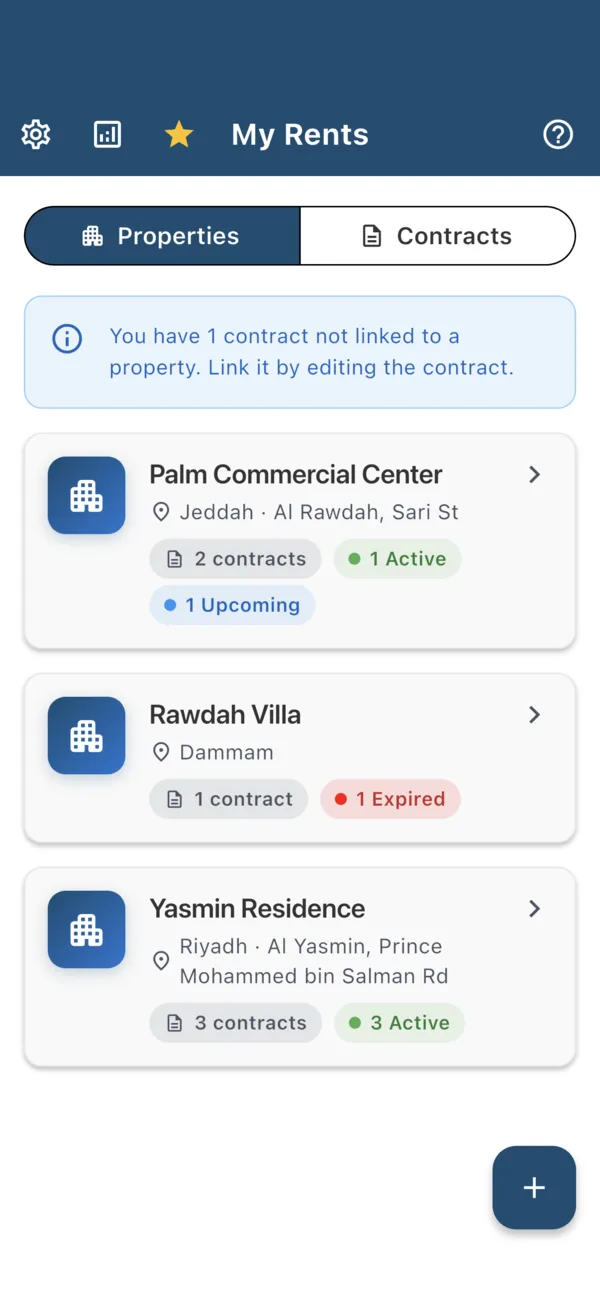
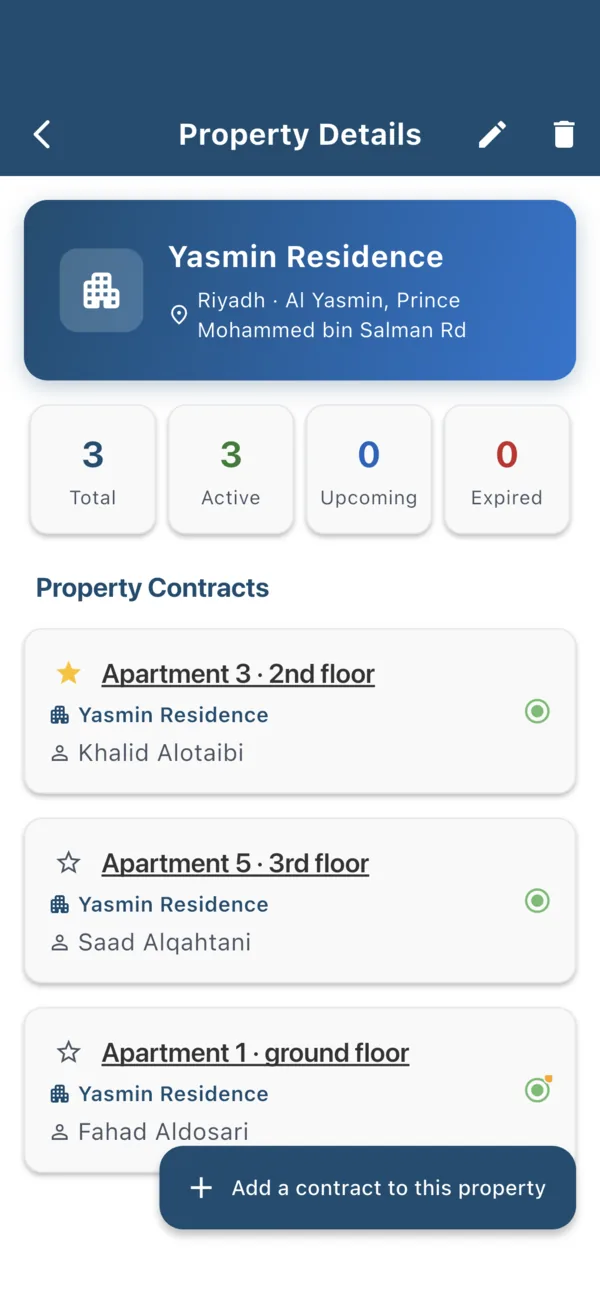
Know what is due, and what is next
Payment dates are worked out from each contract's start date and payment cycle.
Upcoming payments
A list of the next payments with how many days are left.
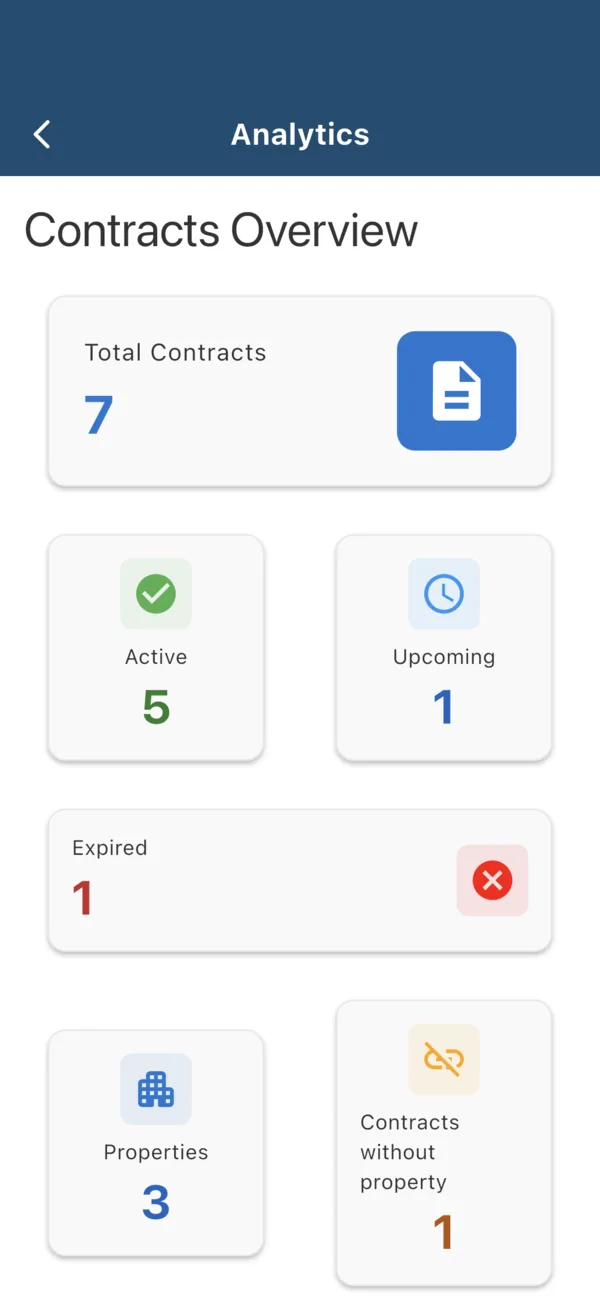
An overview of your contracts
Totals by status, number of properties, and contracts not yet linked to a property.
Any payment cycle
From daily to annual, with amounts up to 100,000,000.
Send a contract as a clean card
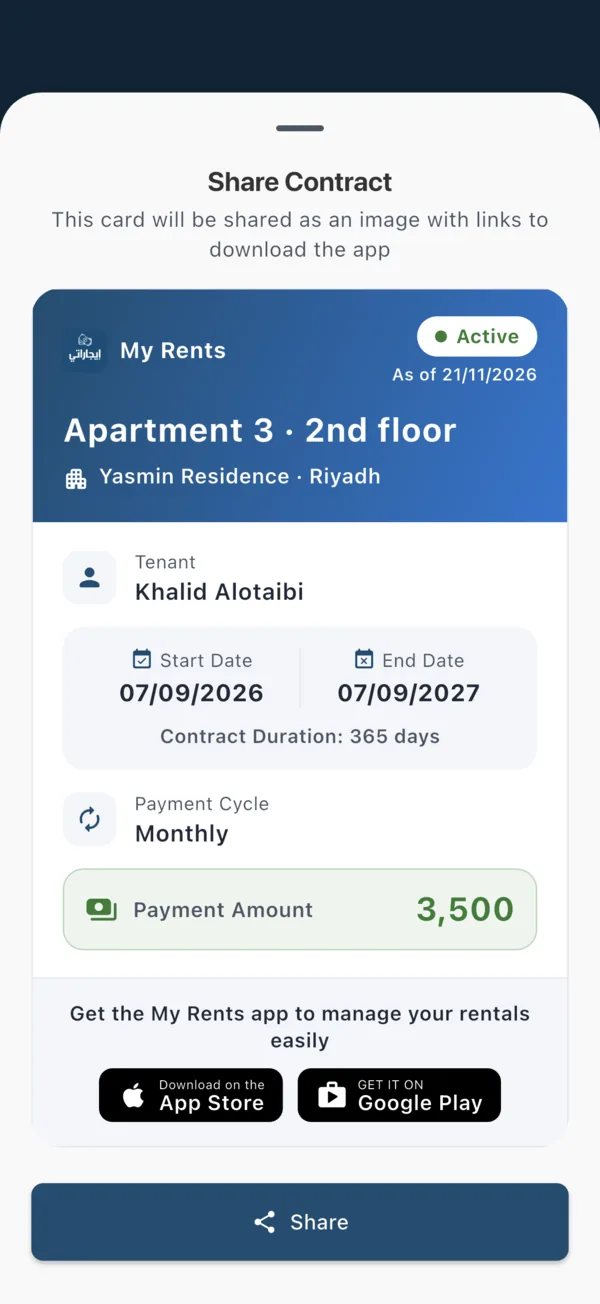
Share a contract's key information with a partner, an agent or a family member, as a clear image rather than a long message.
A professional card
Title, property and city, tenant, start and end dates, duration, payment cycle and amount.
Dated status
The status shows the date the card was made, so nobody mistakes an old card for today's status.
Preview first
See the card exactly as it will be sent, then share it through any app on your phone.
Your contracts in an Excel file
Export all your contracts to an Excel file to keep, print or send to your accountant. Expired contracts are highlighted in light red.
| Title | Property | City | Tenant Name | Start Date | End Date | Duration (Days) | Rent Amount | Payment Period | Status |
|---|---|---|---|---|---|---|---|---|---|
| Apartment 3 · 2nd floor | Yasmin Residence | Riyadh | Khalid Alotaibi | 07/09/2026 | 07/09/2027 | 365 | 3,500 | Monthly | Active |
| Apartment 5 · 3rd floor | Yasmin Residence | Riyadh | Saad Alqahtani | 05/05/2026 | 05/05/2027 | 365 | 10,500 | Quarterly | Active |
| Shop 4 | Palm Commercial Center | Jeddah | Horizon Trading Est. | 22/10/2026 | 22/10/2027 | 365 | 48,000 | Annual | Active |
| Office 12 | Palm Commercial Center | Jeddah | Tech Pioneers Co. | 03/12/2026 | 03/12/2027 | 365 | 15,000 | Quarterly | Upcoming |
| Rawdah Villa | Rawdah Villa | Dammam | Abdullah Alshehri | 17/10/2025 | 17/10/2026 | 365 | 85,000 | Annual | Expired |
Light or dark, your choice
Pick light or dark, or let the app follow your phone's setting.
Your data stays with you
My Rents has no account and no server. Your contracts are stored on your phone and nowhere else.
On your phone only
Contracts, properties and attachments are saved on your device. We never receive them.
No account
No sign-up, no sign-in, no email address needed to use the app.
No ads, no analytics
No advertising, analytics or crash-reporting tools are built in.
Works offline
Everything works without internet. The app only goes online to check for updates.
Your own copy
Export all contracts to Excel whenever you like.
Delete everything
Clear all data from Settings, or delete the app, and it is gone.
Arabic and English
Switch the language in Settings. Arabic reads right to left throughout, dates included.
Frequently asked questions
Is My Rents free?
Yes. The app is free, with no ads, no subscriptions, no in-app purchases and no account.
Where are my contracts stored?
Only on your phone. The app has no server and no cloud sync, and we never see your data.
What happens if I change or lose my phone?
Your data is part of your phone's own backup (iCloud or Google) when that backup is turned on, and returns when you restore it. Exporting to Excel gives you an extra copy to keep, but the app cannot import that file back.
Does the app remind me of payments?
The app shows upcoming payments and contracts that are expiring soon inside the app. It does not send notifications.
Which currency does it use?
Amounts are shown without a currency symbol, so you can use the app with any currency.
Can I attach the contract itself?
Yes. Each contract can have one photo, taken with the camera or chosen from your gallery, or one PDF file, up to 3 MB.
Can I manage more than one property?
Yes. Add up to 500 properties and up to 1,000 contracts, and link each contract to its property.
Which devices are supported?
iPhone and iPad with iOS 13 or later, and Android phones and tablets with Android 7.0 or later.

Download My Rents
Free on iPhone and Android, with no ads and no account.